4×4 Inch Single-Sided Prototype PCB (Zero Board / Perfboard)
₹35.00 Inc GST
4×4 Inch Single-Sided Prototype PCB (Zero Board)
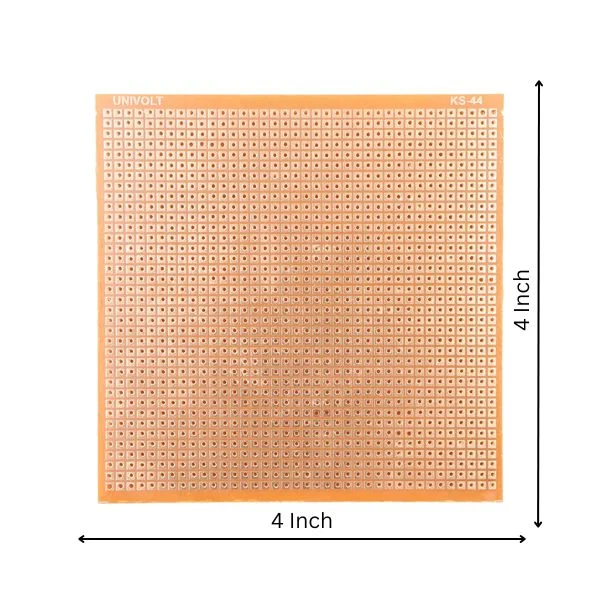
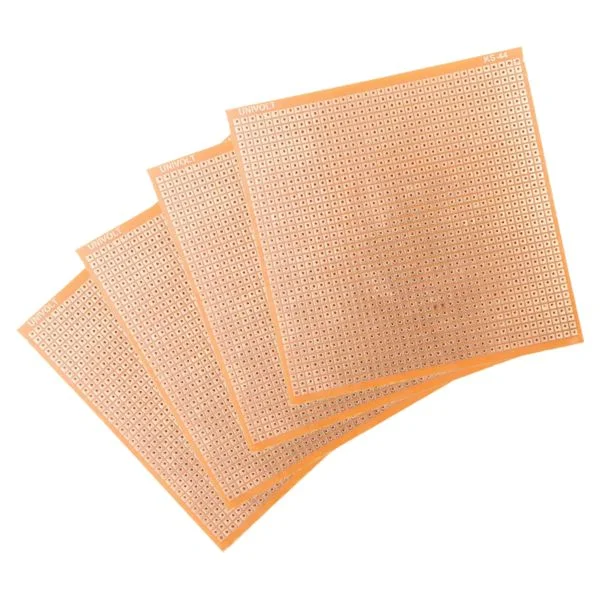
Take your projects from messy breadboards to permanent, reliable circuits with this high-quality Univolt KS-44 prototype board. Measuring a spacious 4 by 4 inches, this single-sided “zero board” features a standard dot-matrix copper grid. It is the essential blank canvas for soldering custom motor driver circuits, IoT sensor arrays, and power distribution modules for your robots.
Why choose this prototype board?
- Standardized Pitch: The holes are spaced at the industry-standard 2.54mm (0.1″) pitch, making it perfectly compatible with DIP ICs, standard male/female headers, and most through-hole components.
- Large Workspace: The generous 4×4 inch layout provides plenty of room to mount multiple microcontrollers (like an ESP32), sensor modules, and voltage regulators on a single unified board.
- Highly Customizable: If you don’t need the full 4×4 area, this phenolic board can be easily scored with a heavy utility knife and snapped to create smaller, custom-sized shields for your specific chassis.
Common Applications
- Creating permanent, vibration-resistant circuits for mobile robots
- Building custom Arduino or NodeMCU expansion shields
- Consolidating messy jumper wires into a single power distribution board
- Testing and validating circuits before designing a custom manufactured PCB
The Bench Robotics Guarantee
- Verified Quality: Each unit undergoes a strict visual inspection and quality check in our Lucknow lab before packaging.
- Fast Dispatch: Orders are packed and dispatched within 12 hours.
- Bench Support: Verified customers get direct call/chat support for troubleshooting.
Technical Specifications
| Feature | Specification |
|---|---|
| Dimensions | 4 Inches x 4 Inches |
| Board Type | Single-Sided (Copper on one side) |
| Hole Pitch | 2.54mm (0.1″) Standard |
| Brand/Model | Univolt KS-44 |
| Base Material | Phenolic Paper (FR-1 / FR-2) |
| Hole Diameter | ~ 1.0mm |
Common Questions
Which side do I solder on?
Push your component legs through the blank, non-copper side. The legs will stick out on the side with the copper pads. You apply your heat and solder to those copper pads to secure the components.
How do I connect the pads to make a circuit?
Unlike a breadboard, the holes on a zero board are not connected. To make connections, you can bend the extra length of the component’s leg to bridge over to the next pad, or use pieces of solid-core wire to create paths between components. You can also drag solder across adjacent pads to form a trace.
What is the best way to cut this board?
The cleanest way is to use a heavy-duty utility knife and a metal ruler. Score a deep line along a row of holes on both sides of the board. Then, align that line over the edge of a table and firmly snap it downward. You can also use a rotary tool (Dremel) or a fine-tooth hacksaw.
Will an Arduino Uno fit perfectly on this?
Almost. While most of the pins match the 2.54mm grid, the Arduino Uno notoriously has an irregular gap between digital pins 7 and 8. If you try to push a solid header block through, it won’t align perfectly there. You can use offset headers or slightly bend the pins to make it fit.
| Weight | 0.05 kg |
|---|
You must be logged in to post a review.
Reviews
There are no reviews yet.